For admins
Incoming calls
Incoming calls shows each of Your numbers, with one sentence saying what a caller gets: who rings, what happens if nobody answers, and what happens outside office hours.

When someone calls: changing a number
Choose Change next to a number. The steps are Office hours, No answer, After hours and Check, and the sentence at the bottom changes as you pick.
-
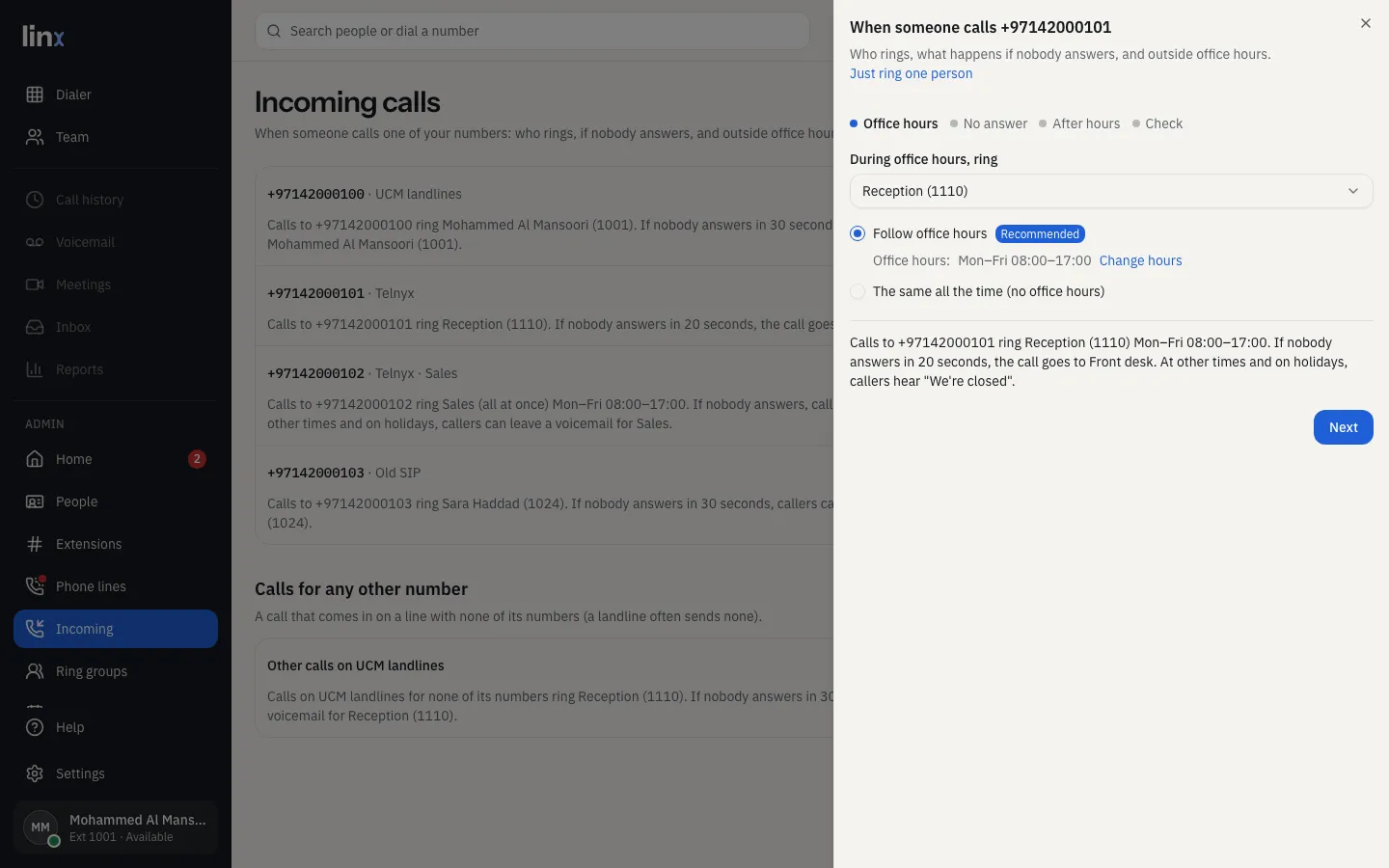
Office hours: who rings, a person or a ring group. Then Follow office hours (recommended for a business), or The same all the time (no office hours), the choice at home. Change hours opens Office hours.
-
No answer: how long a person rings (25 seconds unless you change it), and where the call goes then: their voicemail (recommended, so callers can leave a message), someone else’s voicemail, another person, a ring group, or Nobody (callers hear “not available”). A ring group decides this itself, in Ring groups.
-
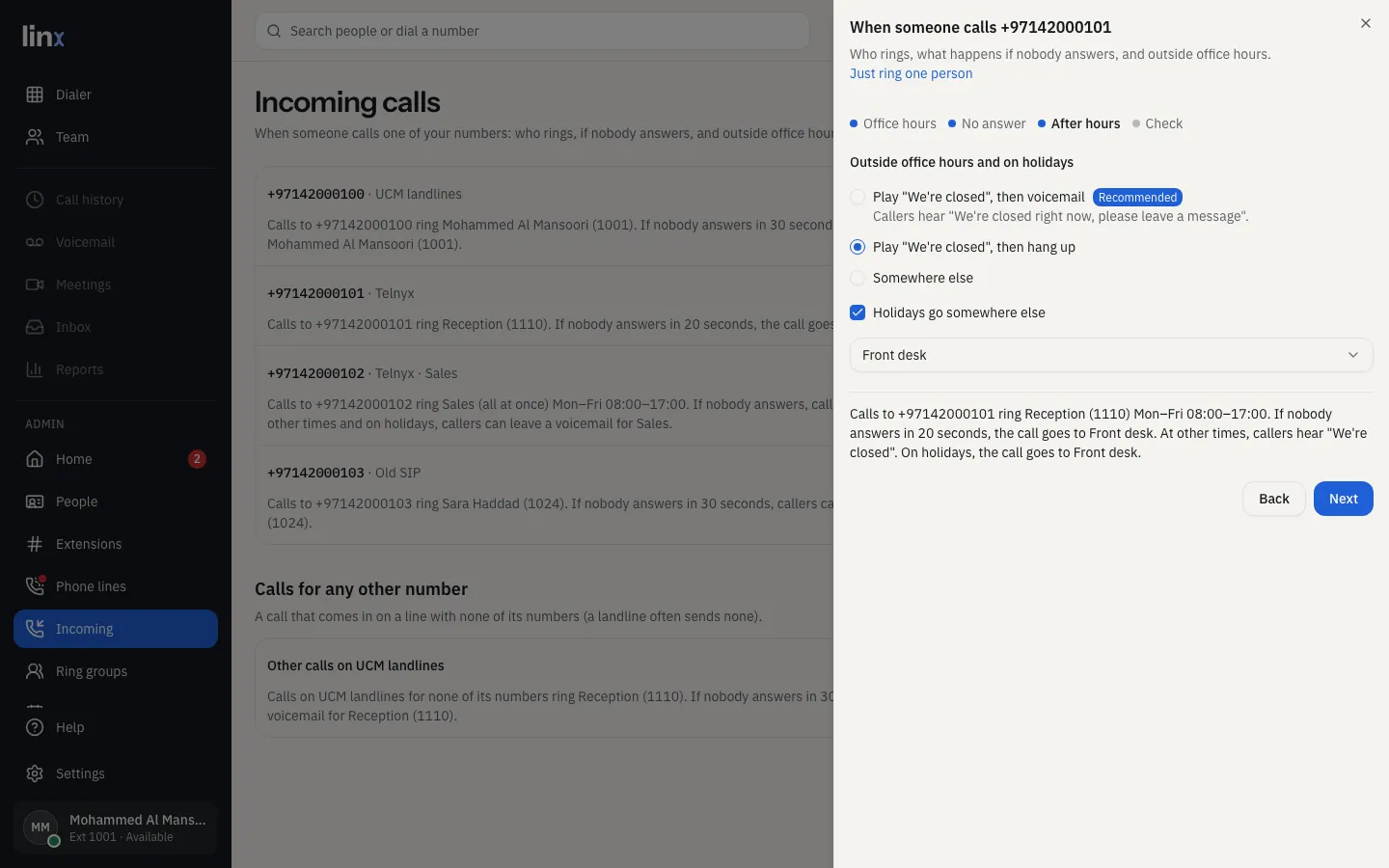
After hours: outside office hours and on holidays, Play “We’re closed”, then voicemail (recommended: callers hear “We’re closed right now, please leave a message”; choose whose voicemail under Whose voicemail; a box with its own “we’re closed” greeting plays that instead, see Voicemail), Play “We’re closed”, then hang up, or Somewhere else. Tick Holidays go somewhere else to send holidays somewhere of their own.
-
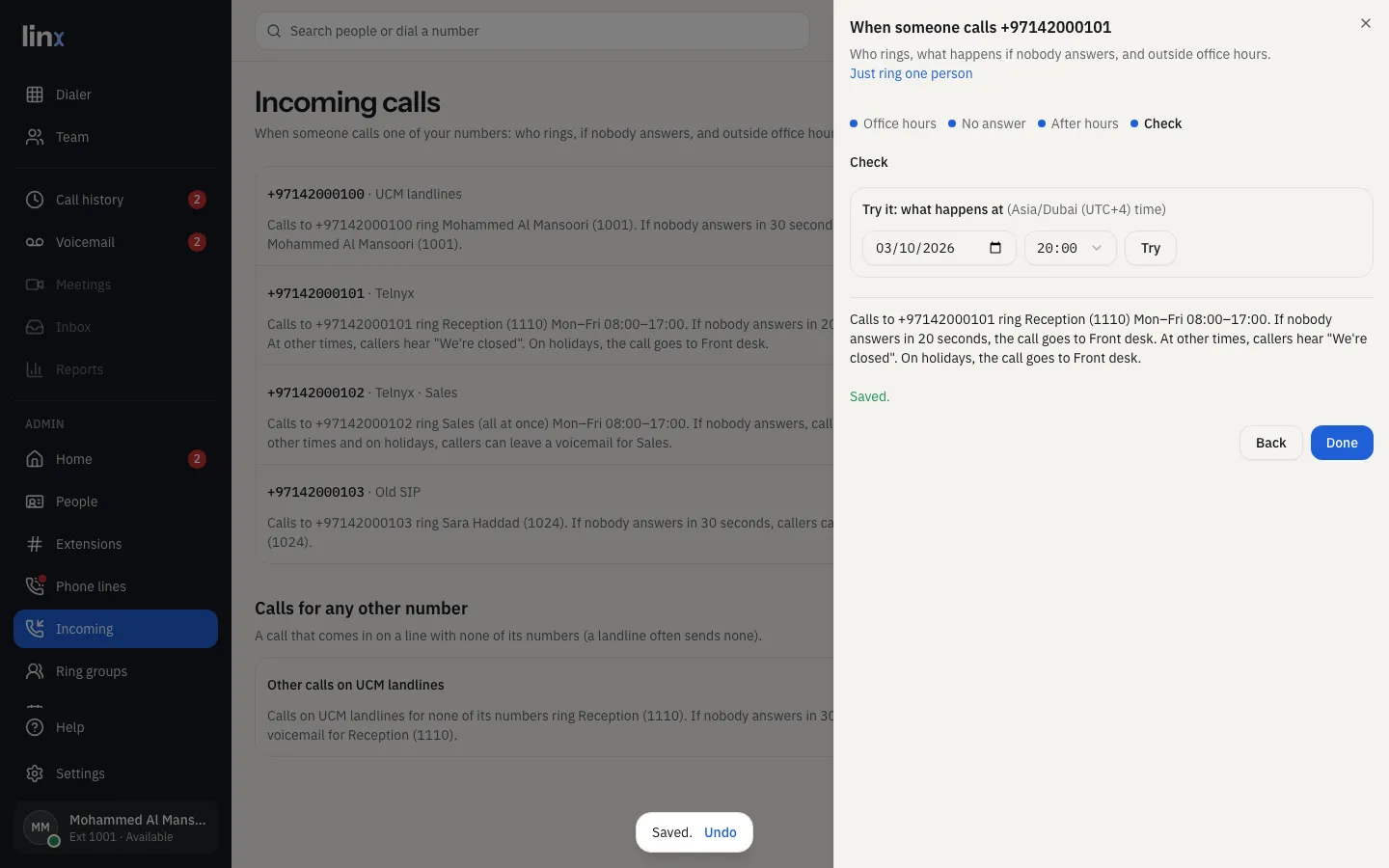
Check: Save, then Try it: choose a day and time to see what a caller would get.


Just ring one person at the top of the wizard is the quick way: one person (or group), all the time, nothing else.
A number you haven’t changed rings its person for 30 seconds, then their voicemail. Someone whose voicemail is off: callers hear “not available”.
Calls for any other number
A phone line can get calls for numbers you haven’t listed (a landline often sends no number at all). Calls for any other number has the same Change for each line.
Adding and removing numbers is on each line’s page (Phone lines).
Trying a number
Try next to a number opens the call simulator with that number filled in.
Undo
Every change here can be undone: Undo shows for 10 seconds after you save, and System → Routing changes keeps the last 50. See Undo and routing changes.